
How to use ErgonTime: your quick start guide
Welcome to ErgonTime. ErgonTime is where your invoices, transactions, reconciliation and reports live in one auditable workspace, so month-end takes minutes instead of days. To get started, invite your team and follow the tour below.
Workspace and roles
Create a workspace for your organisation, then invite the people who need access. Assign each member the role that matches their responsibilities: Owner, Admin, Finance, Accountant or Viewer.

Workspace data is isolated at the database level. Permissions start denied and are granted according to membership, role and any approved member-level override.
Your home screen
Home shows the state of your finances at a glance: what is outstanding, what has been paid and what still needs matching. The left-hand menu is how you move between areas of the workspace.
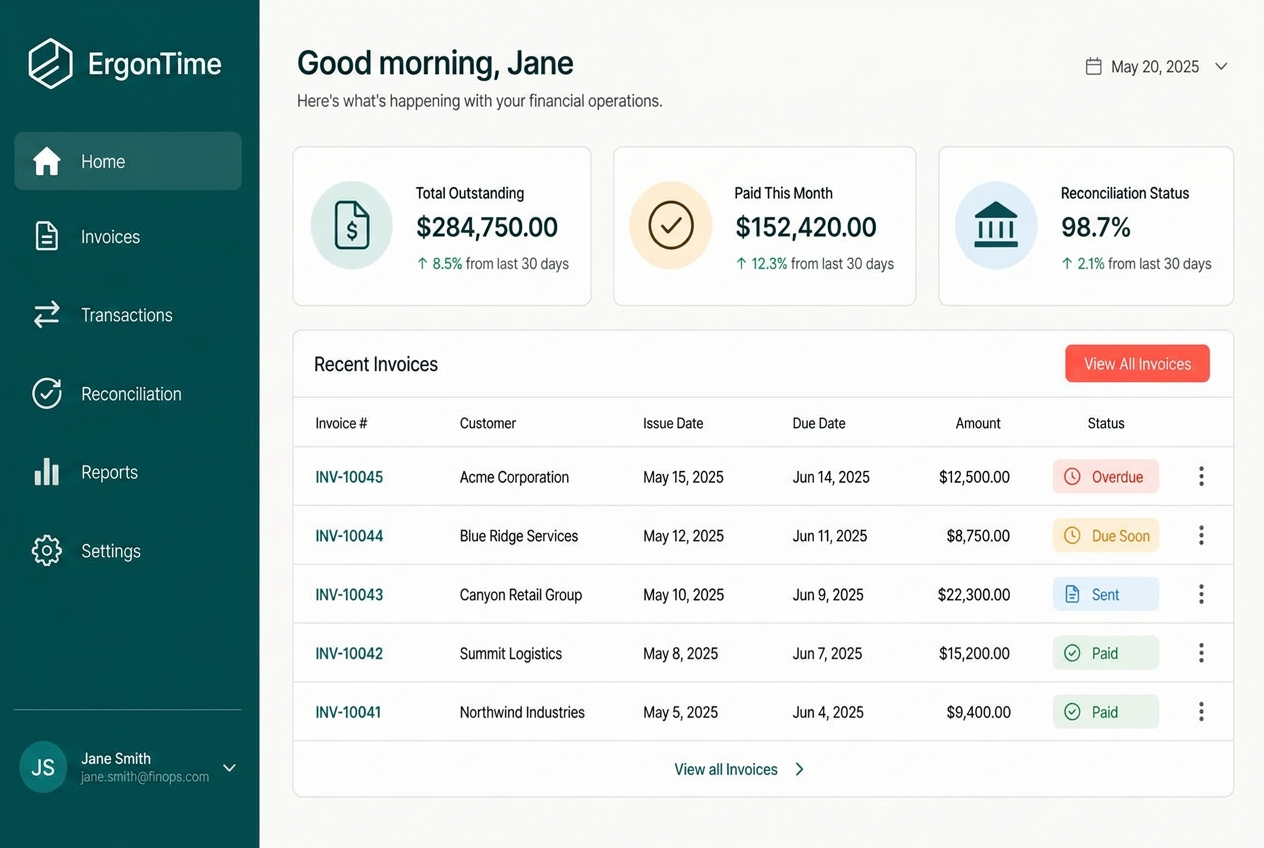
- 1Home — today at a glance
- 2Invoices — bills you send
- 3Transactions — money in and out
- 4Reconciliation — suggested matches
- 5Reports — cash flow and ageing
Invoices and records
Add customers and suppliers first so invoices and transactions use consistent records. An invoice takes a customer, dates, line items and terms; ErgonTime keeps the totals and status up to date for you.
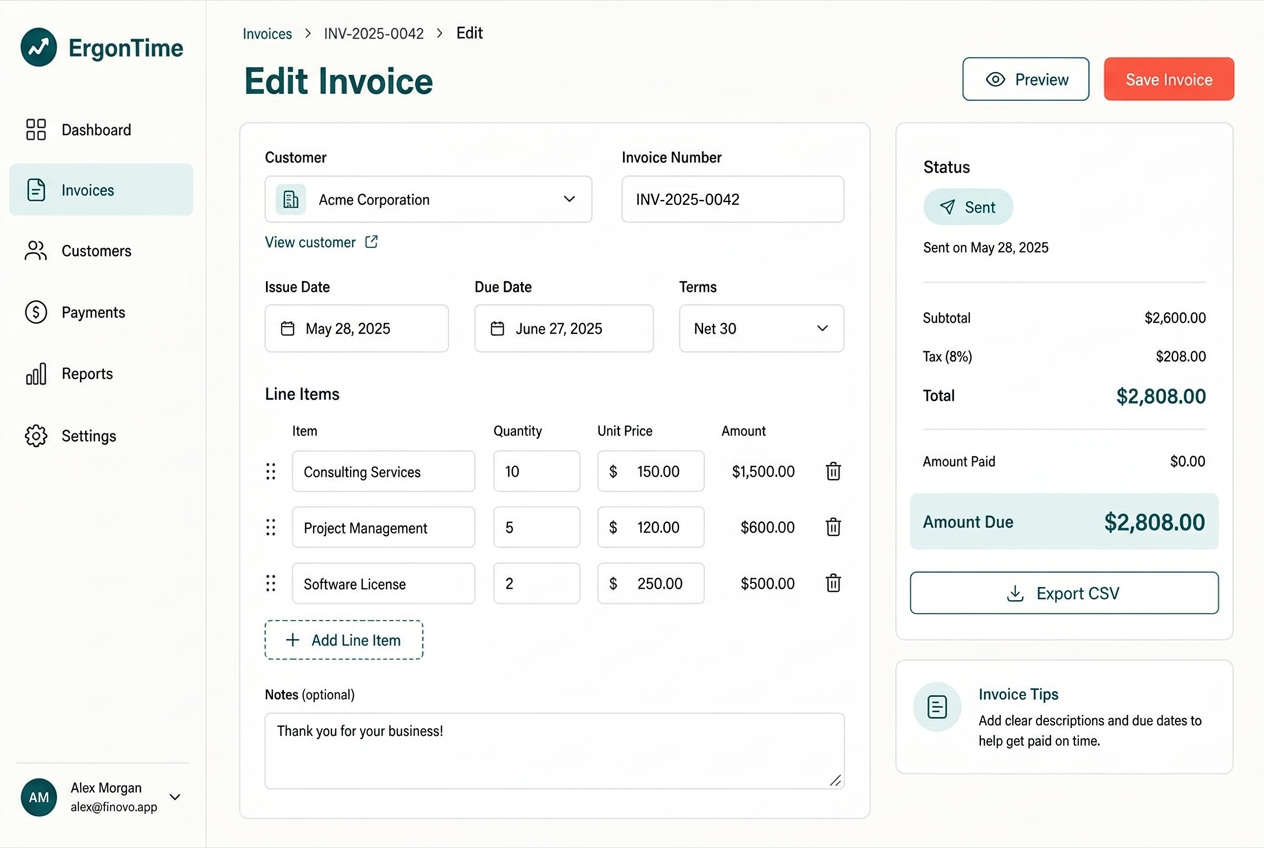
- 1Pick the customer
- 2Set dates and terms
- 3Add line items
- 4Check the totals
- 5Send, then export if needed
- Create and manage invoices.
- Maintain a transaction ledger and export records to CSV.
- Keep customer and supplier details connected to the work.
Reconciliation
ErgonTime ranks likely matches between incoming money and open invoices using amount, counterparty and reference signals. A person confirms or unmatches the suggestion before it becomes part of the audit trail.
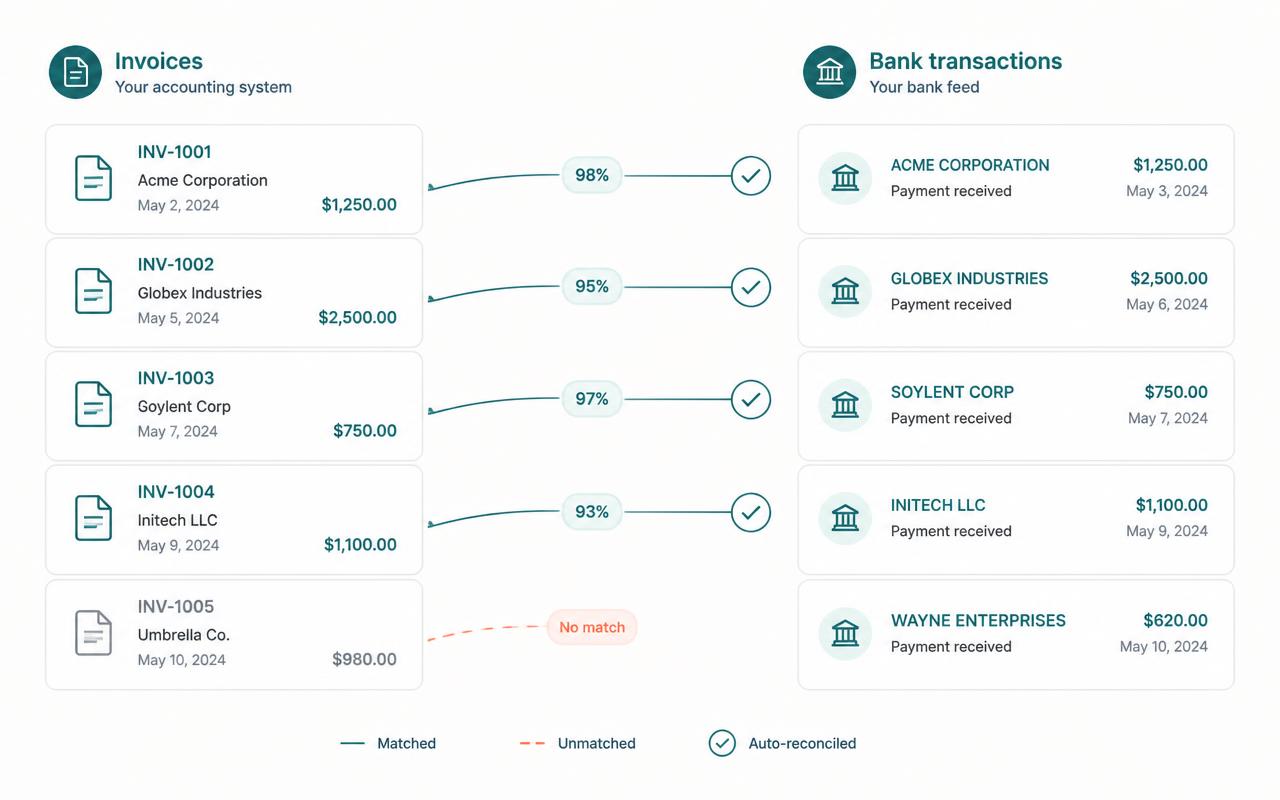
- Handle partial payments and overpayments.
- Settle multiple invoices with one payment.
- Keep every match and unmatch decision in an append-only history.
Reports and insights
Cash-flow, revenue and invoice-ageing reports are calculated from source records on the server. This gives teams a consistent view instead of relying on figures calculated differently in each browser.
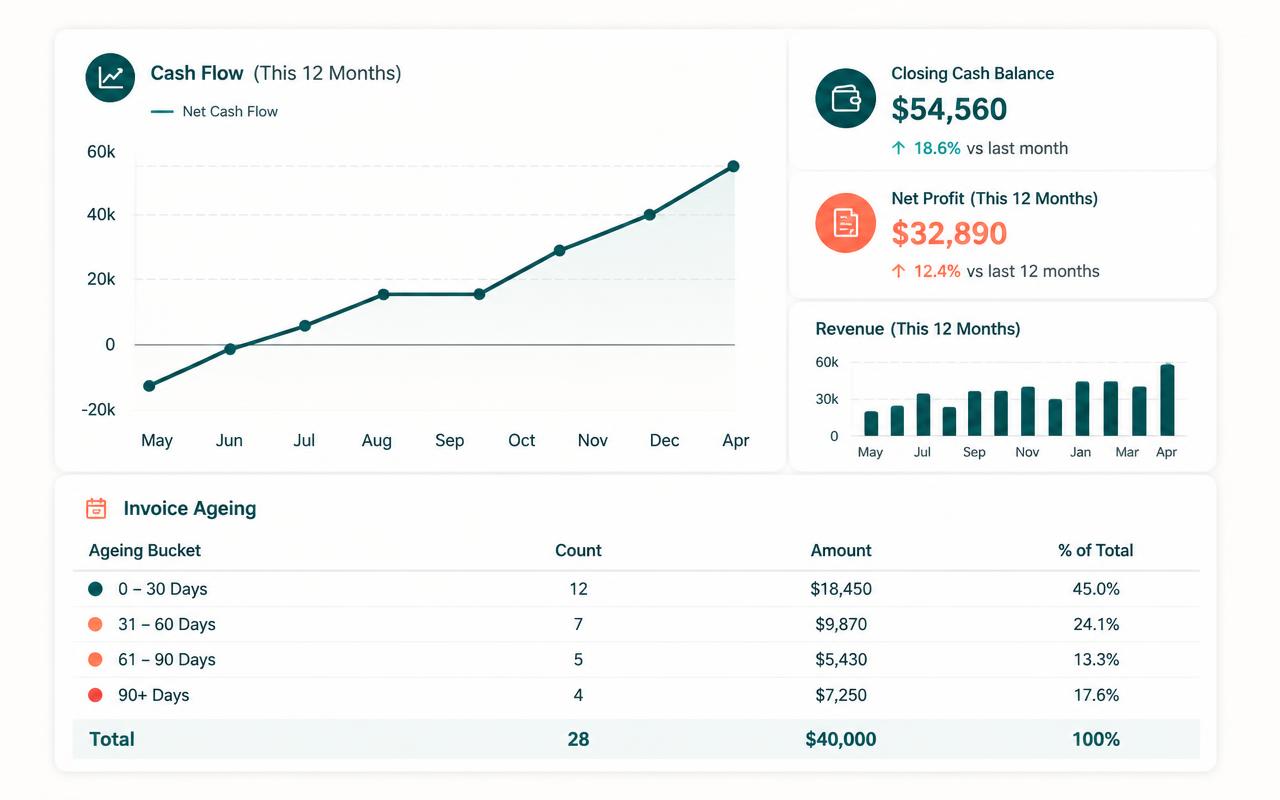
Business workspaces can also use a 13-week cash forecast, anomaly detection, an AI analyst and a weekly executive brief. AI output is advisory and should be checked by a person.
Security and access
ErgonTime uses deny-by-default workspace isolation, encrypted connections and server-side secrets. Automated release checks look for missing protection or anonymous access.
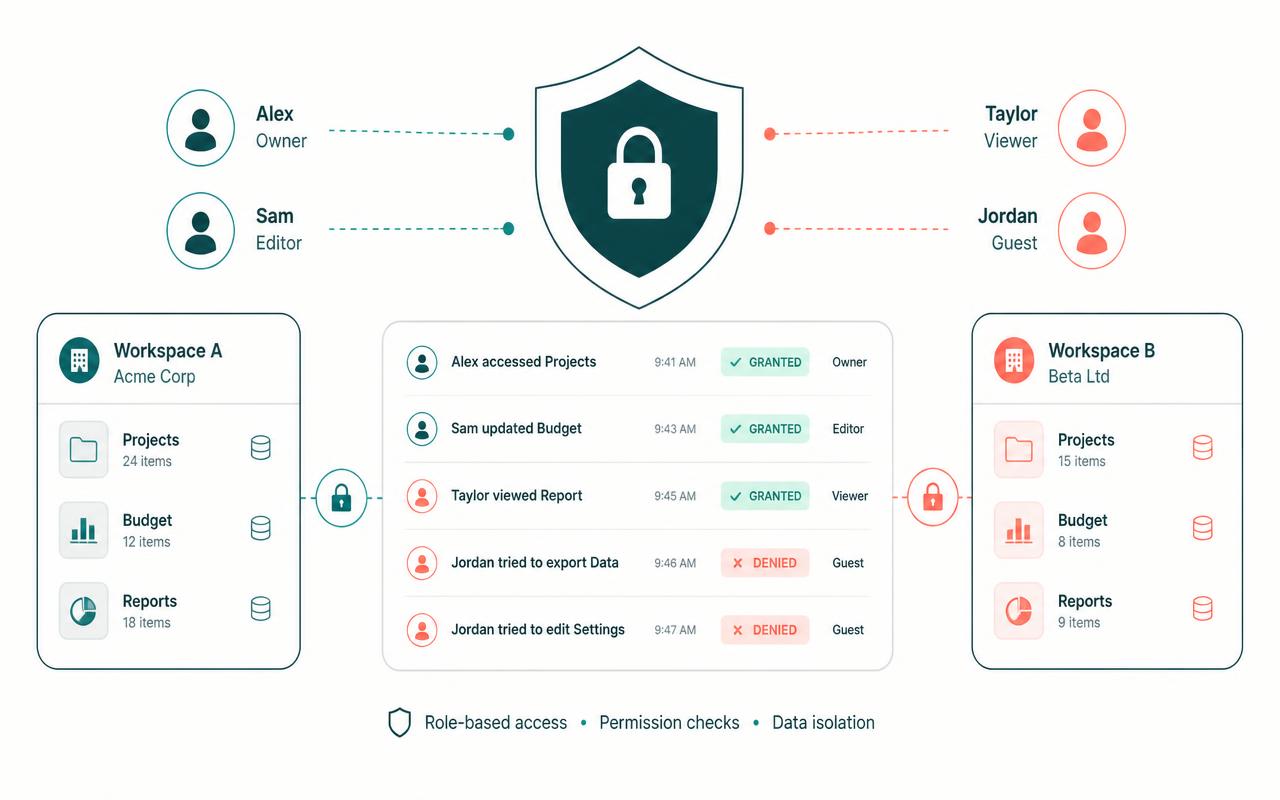
Owners and admins can open Governance → Access trace to see why sensitive access was granted or refused. This is separate from the audit log, which records actions and decisions.
Plans
Every new workspace starts with a 14-day Business trial and no card is required.
- Solo — $9.99/month: up to 2 members and essential invoicing, records and workbooks.
- Team — $24.99/month: up to 10 members, adding reconciliation, approvals, operations modules and collaboration.
- Business — $49.99/month: up to 30 members, adding AI, forecasting, Slack, APIs, webhooks and priority support.
- Enterprise: custom annual plan with unlimited members, granular access, DPA, onboarding and SLA.
Was this article helpful?